🎭 Gridface 🔬
📝 Infos
- 🔬 - Application d’analyse manuelle de vidéos
- 🎭 - Reproduction de masques de théâtre
- 🎓 – Projet de recherche universitaire
- 👁️ – Analyse des visages par des non-voyants et des voyants
- 🤝 - Collaboration avec l'Université Lyon 2
- 🤝 - Collaboration avec le Lycée Polyvalent Aragon-Picasso
- 🎨 – Blender
- ⚙️ – Unity, C#
- 🖥️ - 🍎 macOS 🪟 Windows
🖥️ Application
J’ai contribué à ce projet sur deux volets : le développement de l’application GridFace et la reproduction physique des masques utilisés pendant l’étude.
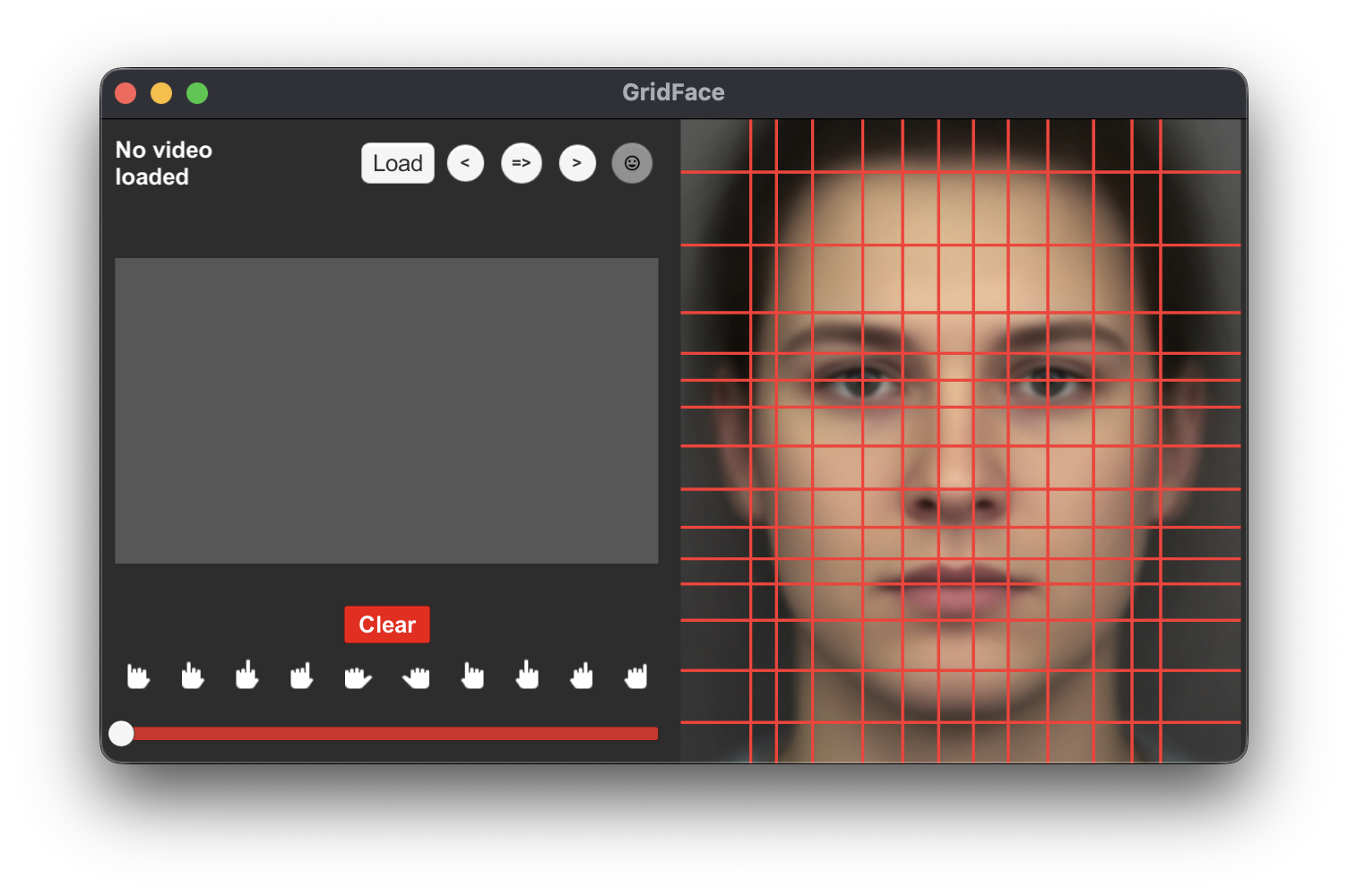
GridFace permet aux chercheurs d’analyser les vidéos de participants explorant les masques avec leurs mains. L’interface associe chaque doigt à une zone du visage, conserve les positions connues pendant la navigation et exporte les données pour leur analyse statistique.
Saisie et navigation
- Navigation précise dans la vidéo avec la ligne de temps, le clavier ou les contrôles de l’interface
- Association de chaque doigt à une cellule du visage et à la main correspondante
- Glisser-déposer depuis une palette de doigts ajouté après les retours des chercheurs
- Copie des positions entre deux instants lorsque les mains restent fixes pendant plusieurs images
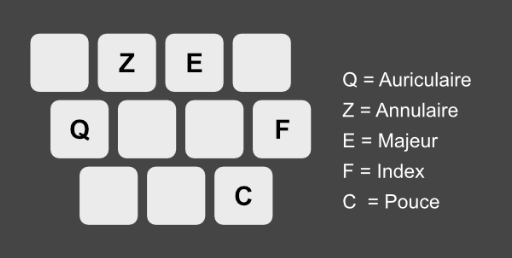
Raccourcis de sélection de doigt
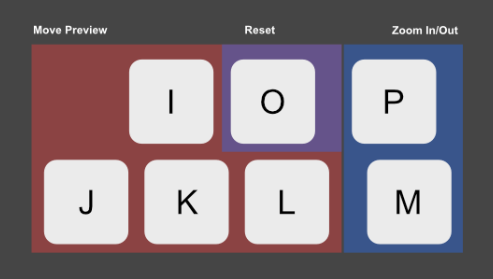
Raccourcis de contrôle de la vidéo
Développement et déploiement
Unity a été choisi pour réaliser rapidement les différentes versions de l’interface demandées par les chercheurs et déployer l’application sur macOS et Windows.
📚 Contexte de recherche
Ce projet porte sur l’analyse des visages par des personnes non-voyantes et voyantes. Les participants explorent les masques avec leurs mains, tandis que leurs gestes sont filmés puis codés dans GridFace.
Les masques de théâtre originaux de Melody Anderson, uniques et fabriqués en papier mâché, étaient trop fragiles pour être transportés. Nous les avons reconstruits par photogrammétrie. J’ai réalisé la retopologie des modèles, conçu une armature de renfort, étudié les compromis entre poids, prix et résistance, puis coordonné la fabrication avec l’équipe chargée de l’impression 3D SLS.
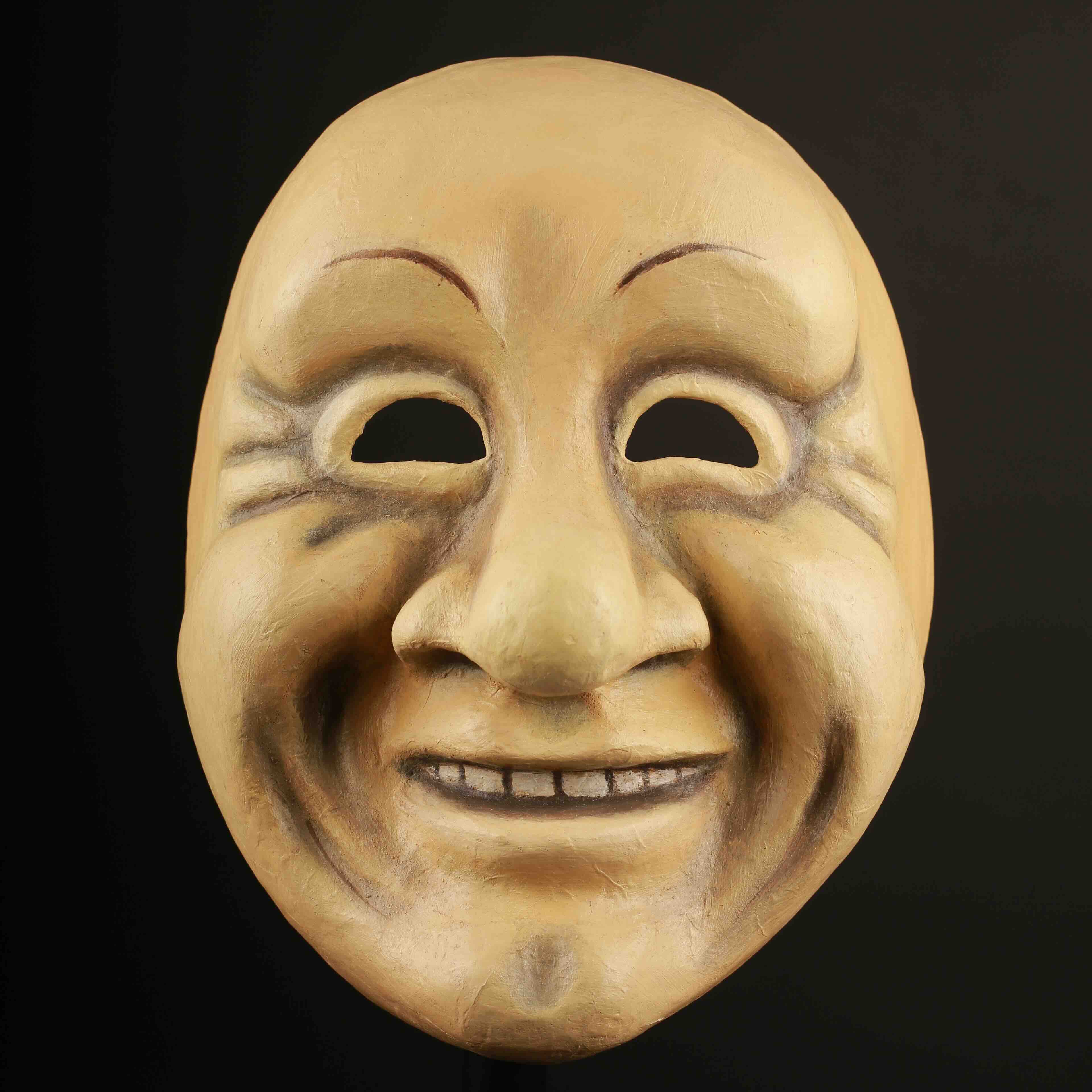
Masque original au Canada
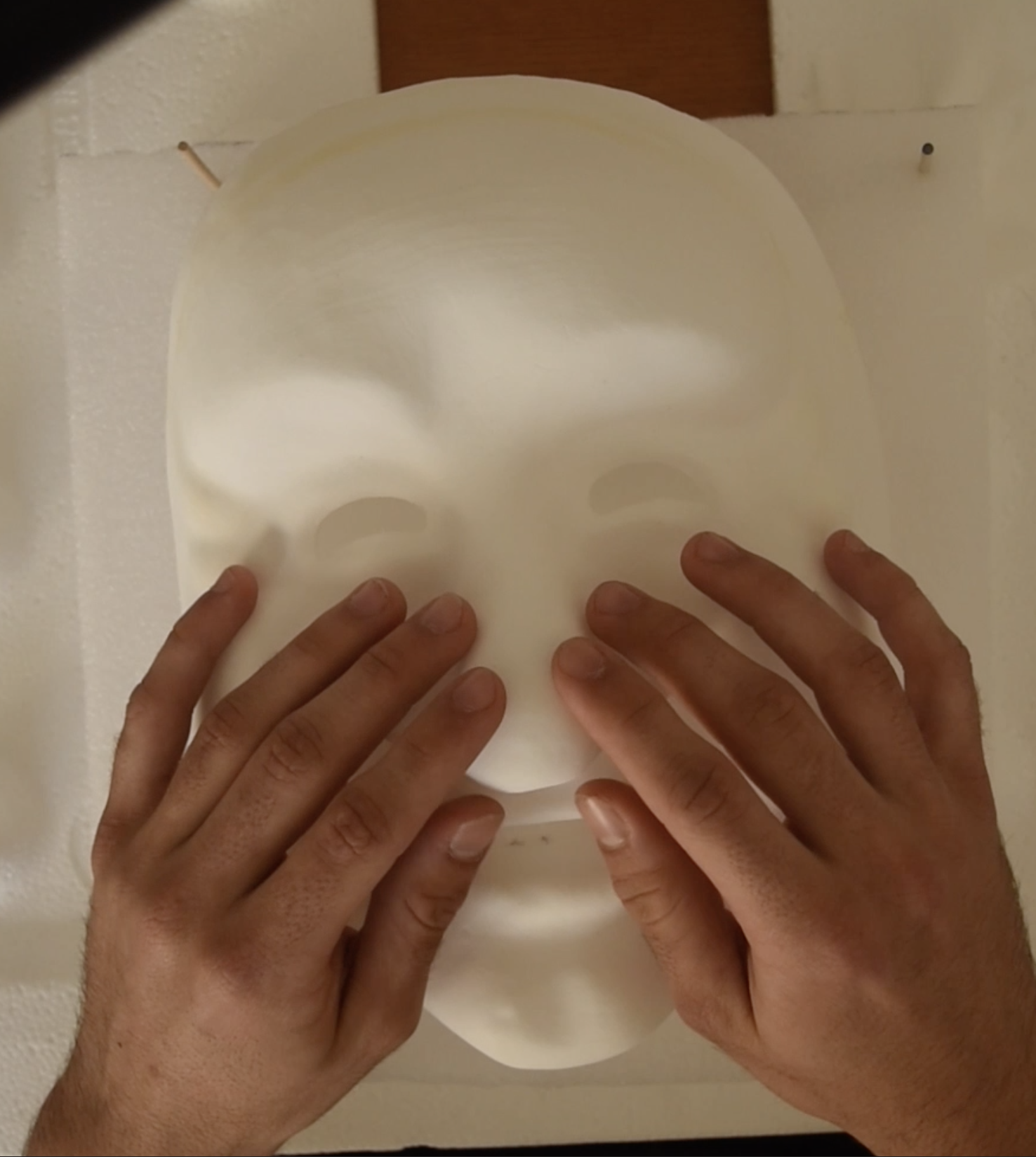
Reproduction du masque en cours d’exploration à Lyon
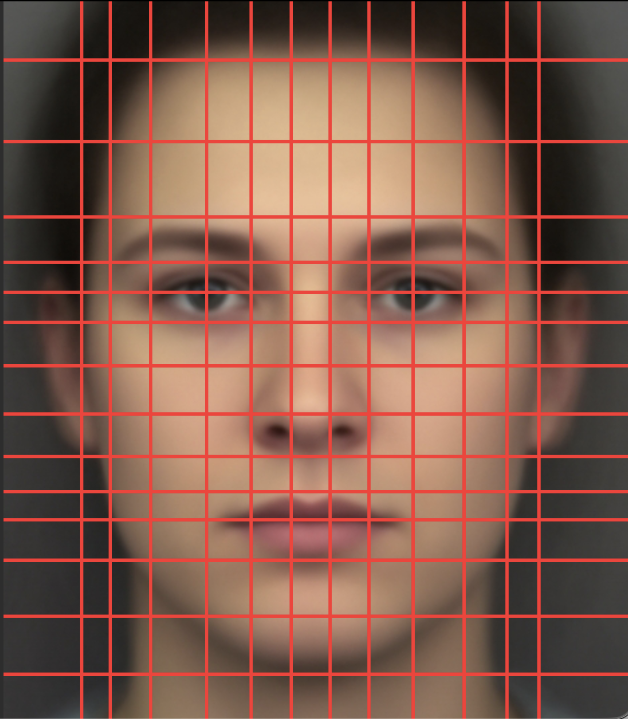
Visage neutre avec sa grille de codage
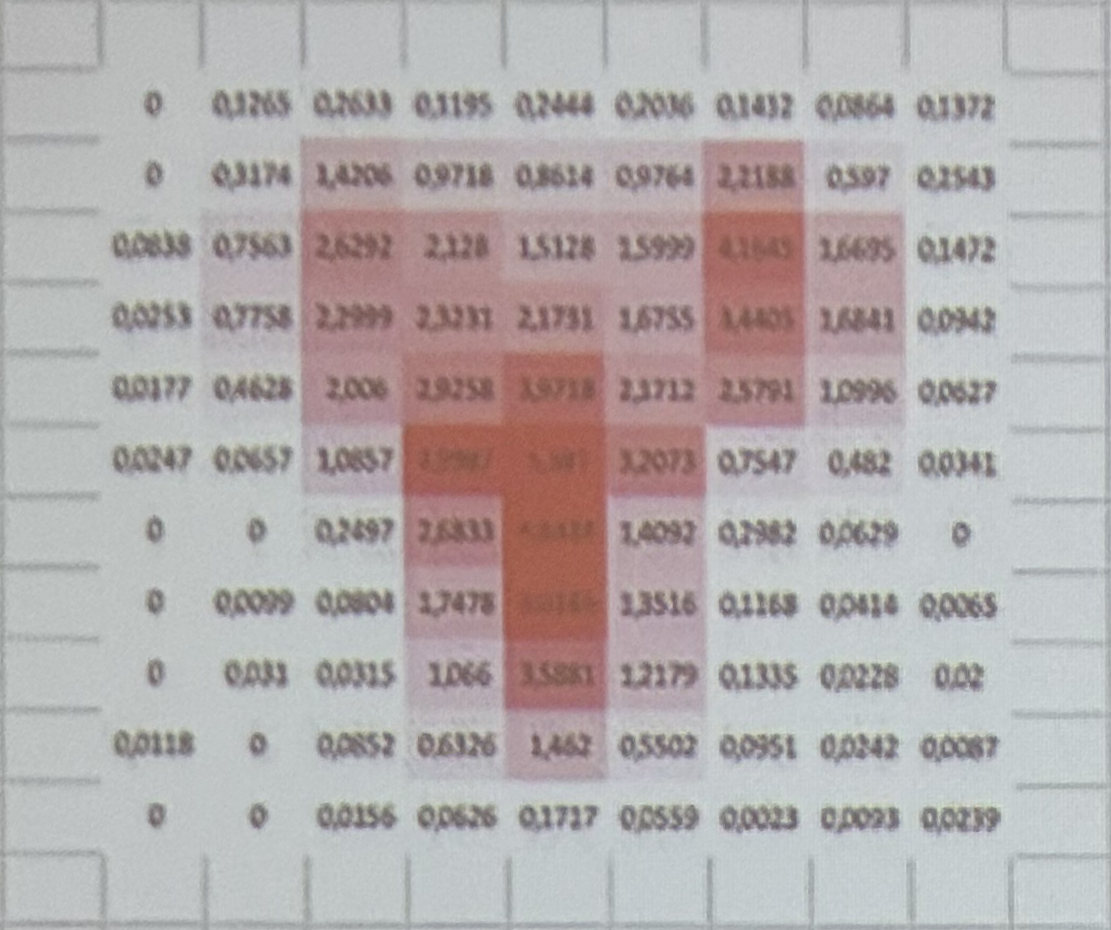
Résultats exportés et traités dans un tableur
🎭 Masques originaux
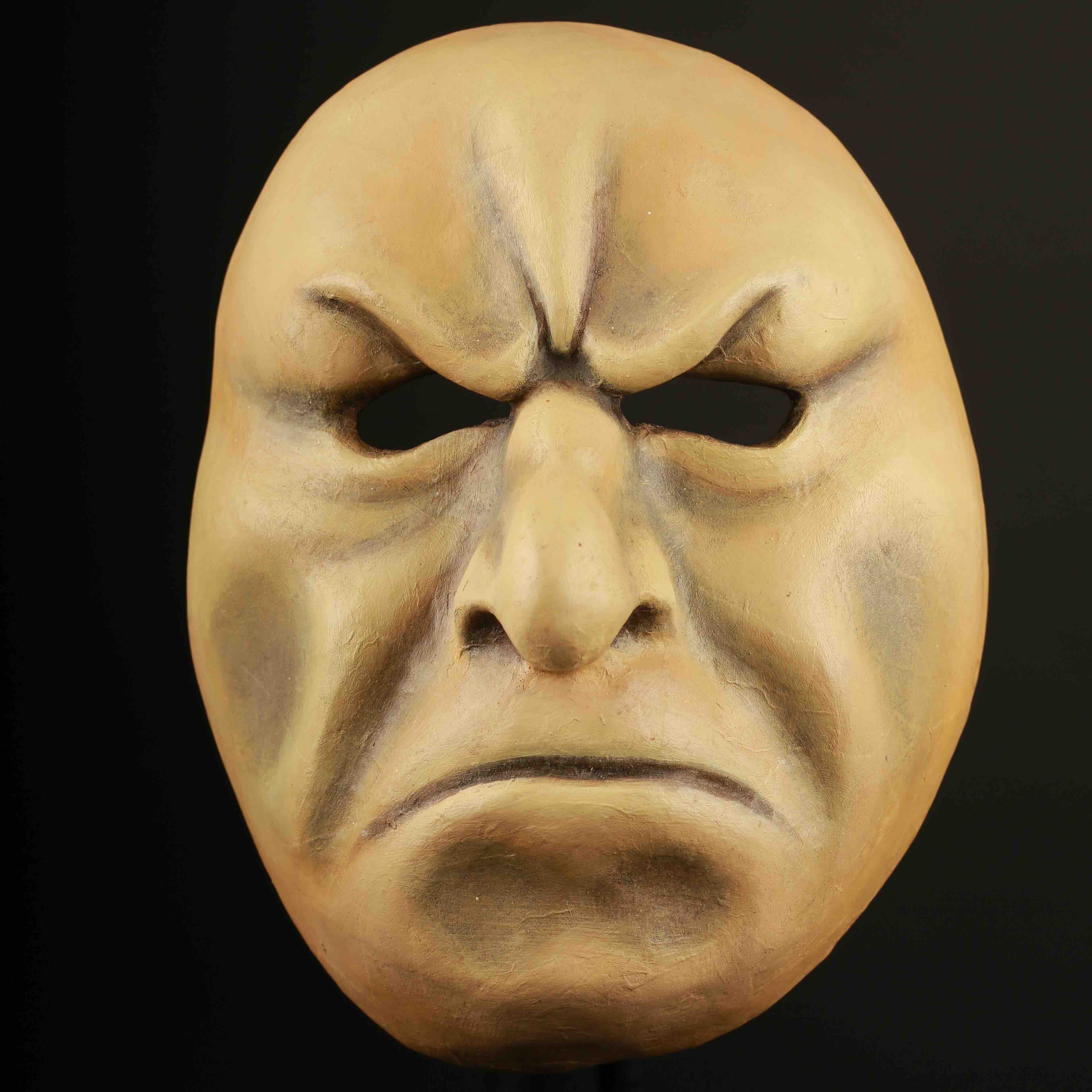
Masque haineux
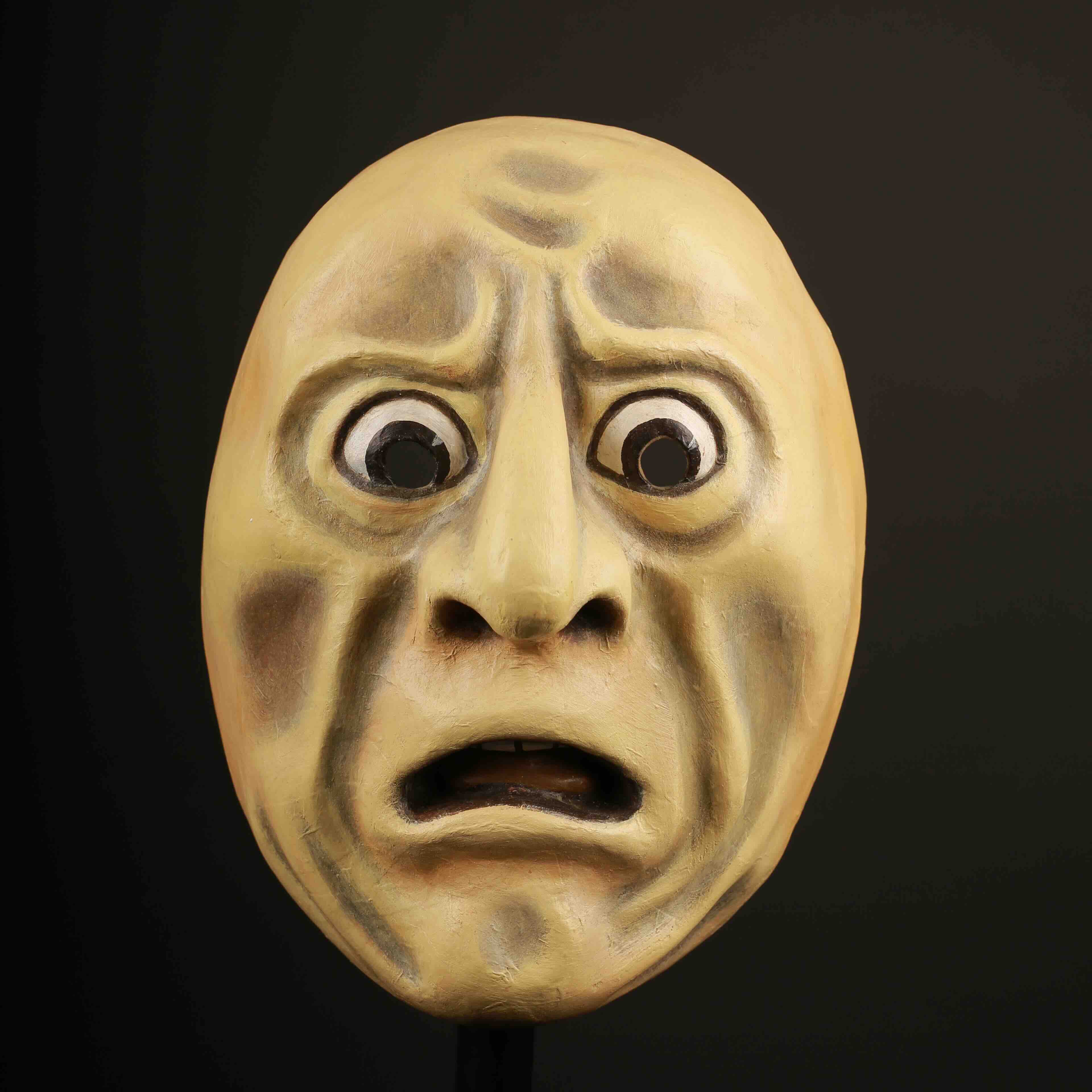
Masque apeuré
Masque joyeux
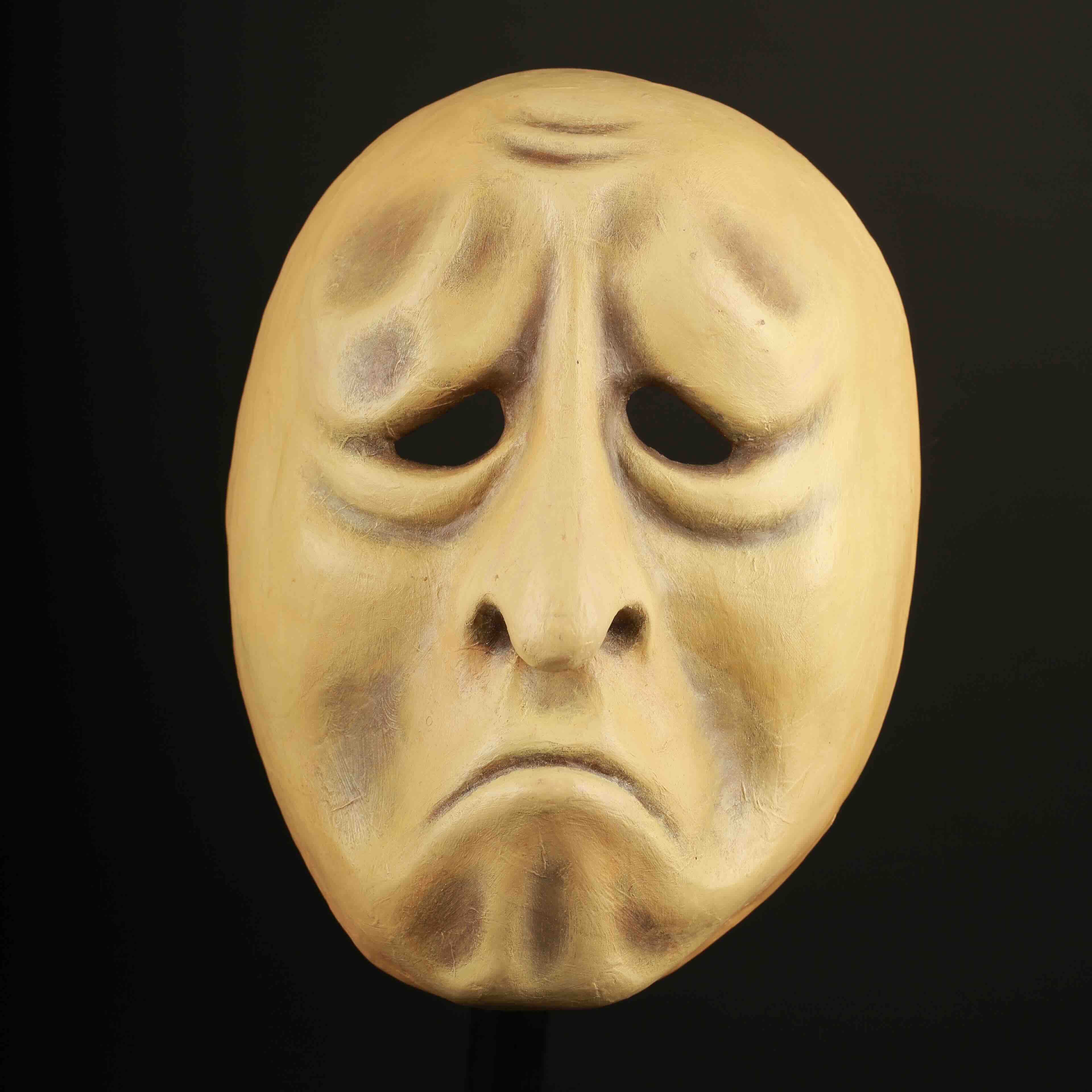
Masque triste
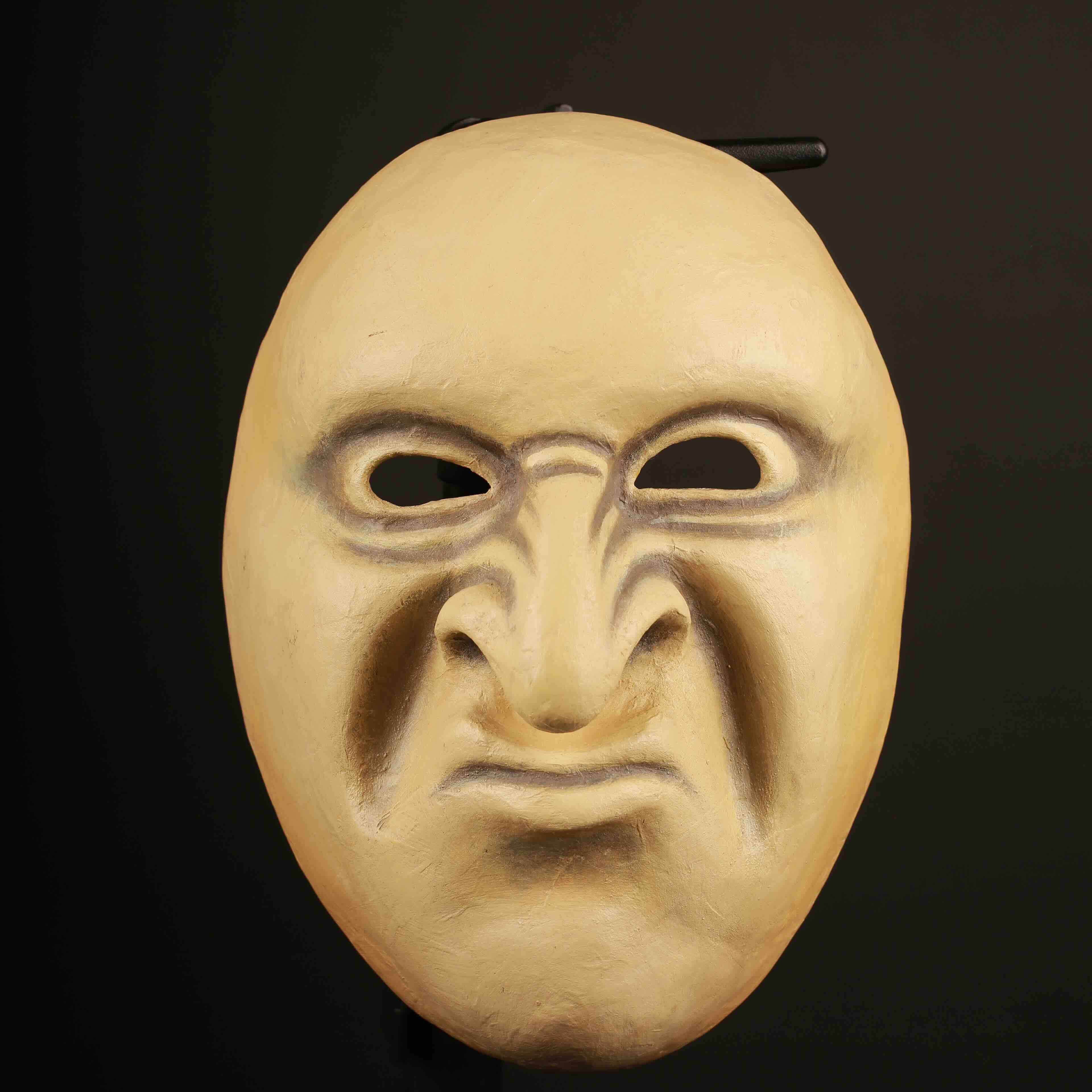
Masque ricanant
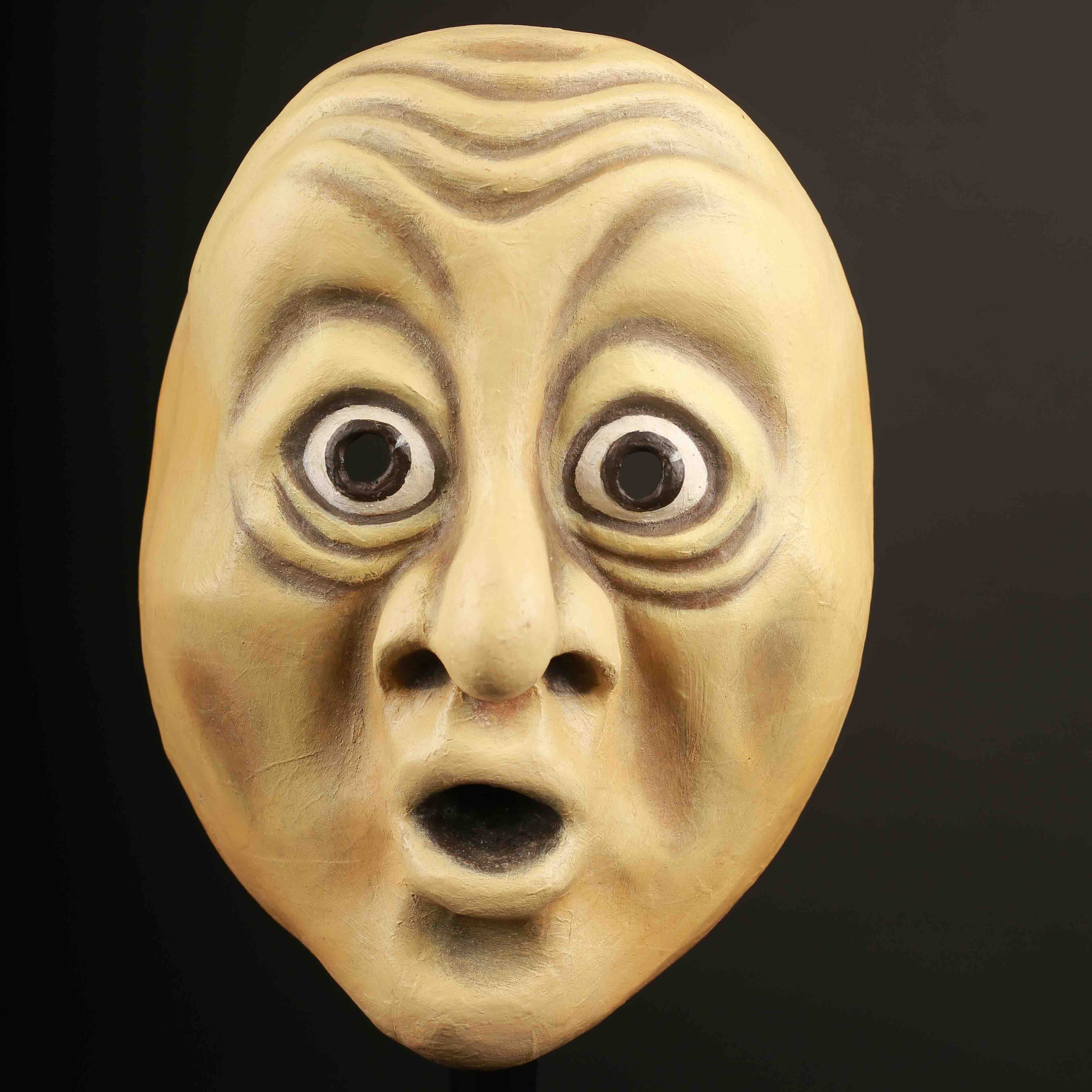
Masque surpris